Your agent tested it. Where’s the proof?
Simbase runs the build on a warm simulator and turns the result into a page you can send someone: named screenshots, the exact steps taken, a verdict, and a link for the PR.
Have an invite? Sign up
Passed · 16/16 steps · 14.3s on device
video.mp4 · 12.1sthe whole run, at 1× 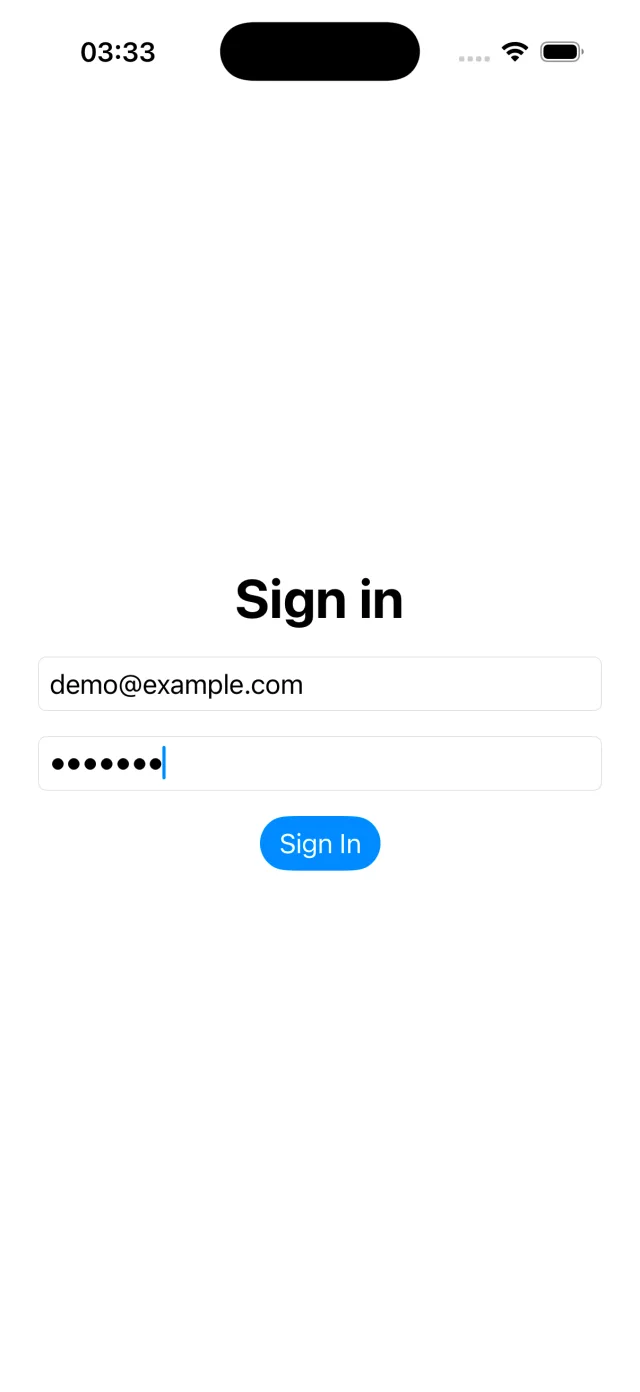
type "hunter2"login-filled 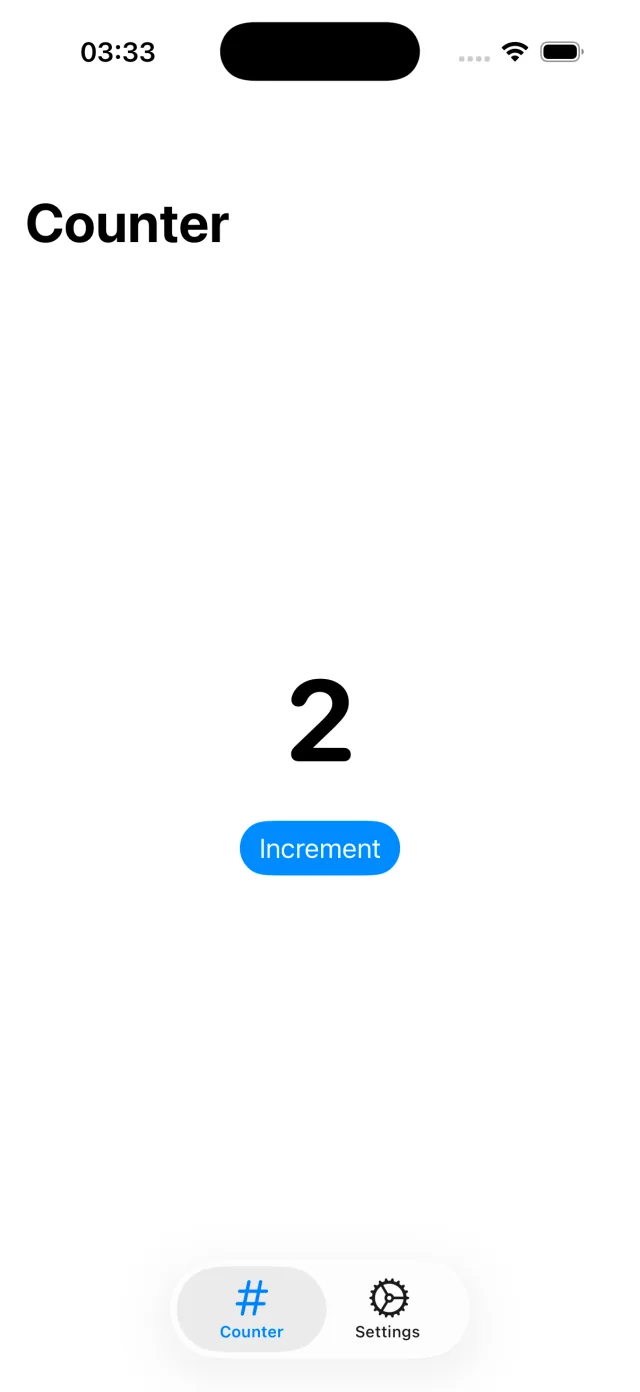
tap #increment_buttoncounter 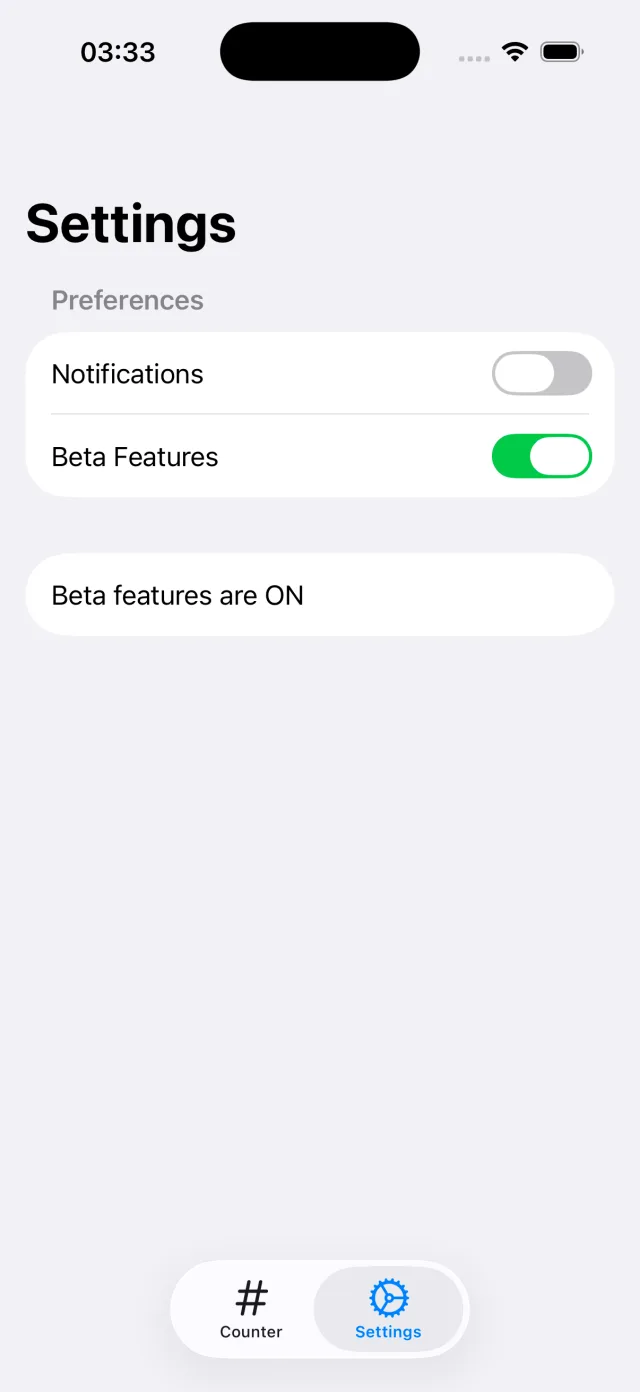
tap #beta_togglebeta-enabled
- 0.0slaunched
- 4.9s+6 steps
- 8.2s+4 steps
- 11.1s+3 steps
- 1launch1.8s
- 2wait_for #email_field267ms
- 3tap #email_field774ms
- 4type "[email protected]"558ms
- 5tap #password_field998ms
- 6type "hunter2"475ms
- 7screenshot "login-filled"
- 8tap #sign_in_button1.1s
- 9wait_for #count_label315ms
- 10tap #increment_button1.0s
- 11tap #increment_button948ms
- 12screenshot "counter"
- 13tap "Settings"944ms
- 14wait_for #beta_toggle428ms
- 15tap #beta_toggle1.5s
- 16screenshot "beta-enabled"
A real run from our end-to-end suite, shown as its evidence page shows it. DemoApp is our test fixture; the recording, screenshots and timings are the run’s own.
Same sixteen steps. Both platforms.
One run request, pointed at an iPhone and then a Pixel. You ask for beta-enabled, you get beta-enabled, on each. The timings are each device’s own.
iPhone 17 Pro · iOS 26.3
type "hunter2"login-filled tap #increment_buttoncounter tap #beta_togglebeta-enabled
- 4.9s+6 steps
- 8.2s+4 steps
- 11.1s+3 steps
Passed · 16/16 steps · 14.3s on device
Pixel 7 · Android 15 (API 35)
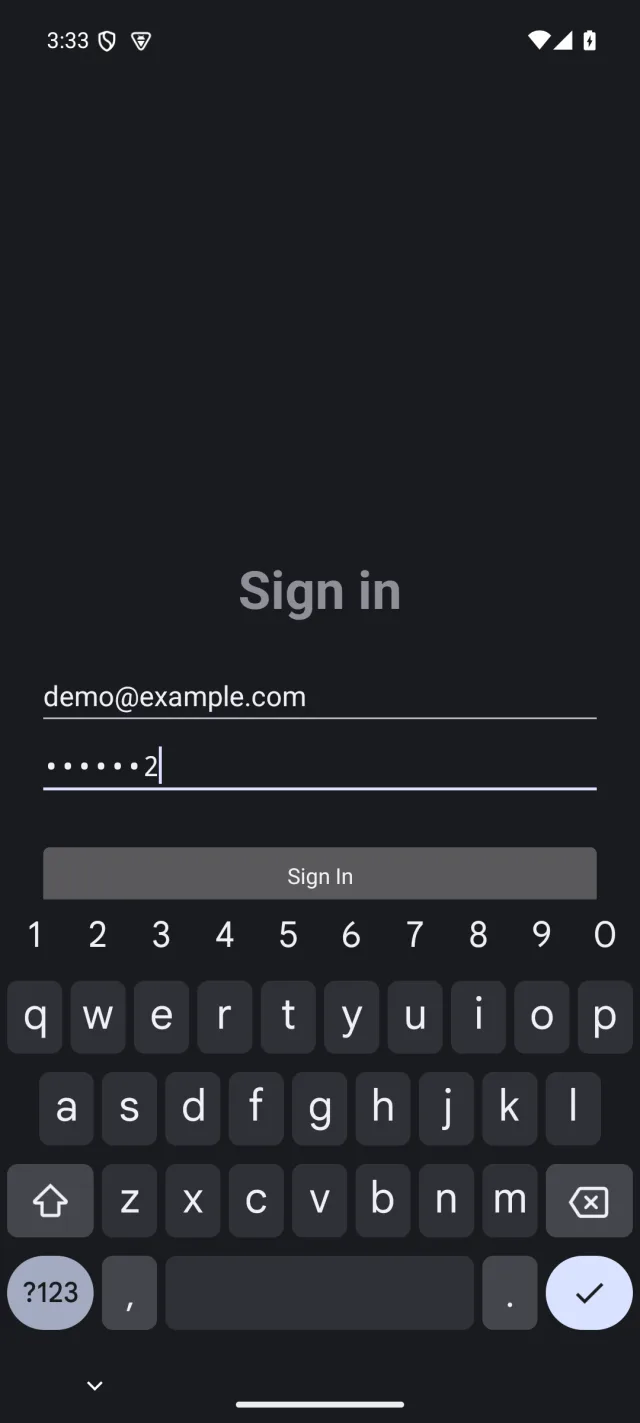
type "hunter2"login-filled 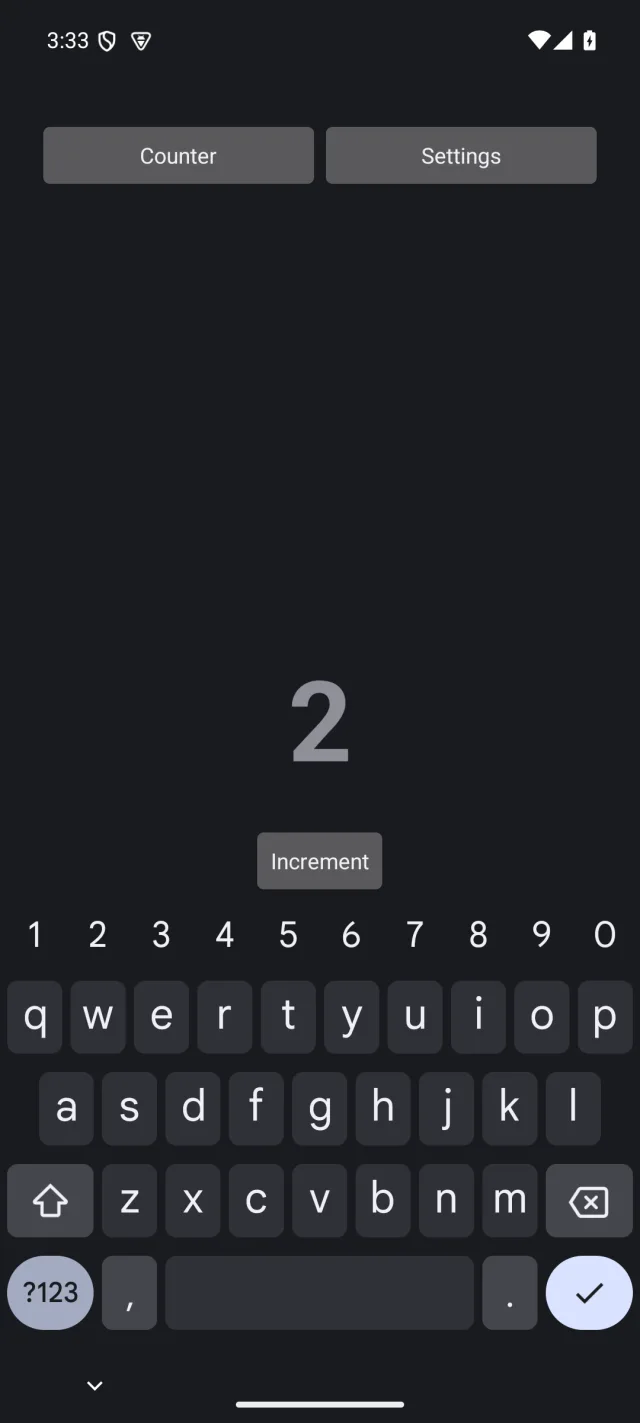
tap #increment_buttoncounter 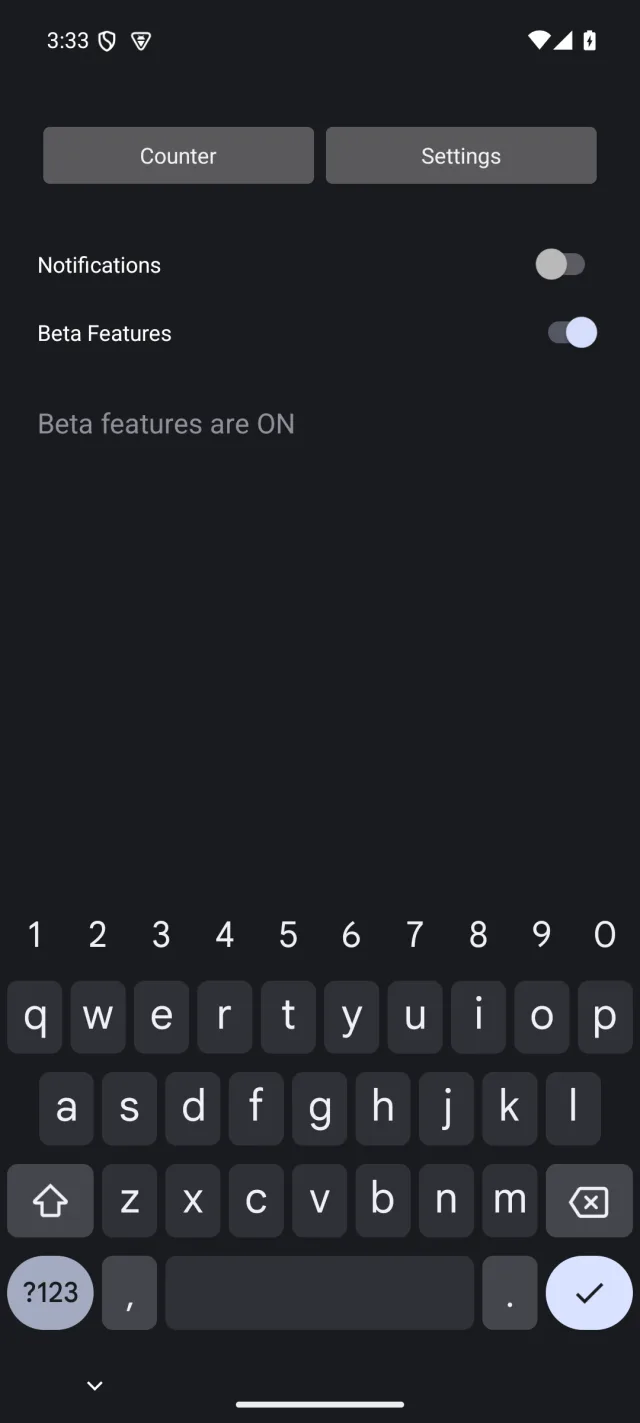
tap #beta_togglebeta-enabled
- 11.1s+6 steps
- 21.4s+4 steps
- 29.0s+3 steps
Passed · 16/16 steps · 31.0s on device
The output is the point.
Every run ends in one link, private by default. Your reviewers get in with GitHub if they can read the repo. Make a run public when you want to show someone else.
Passed · 16/16 steps · 14.3s on device
- Every step ran and every screenshot was taken.
Failed
- Something your steps expected didn’t hold. A verdict on your app.
Error
- The build, the install or the harness broke. Not a verdict on your app, not billed.
Where the time went
14.4s end to end, 14.3s of it on the device. Device time is the bill; the 38ms in the queue is not.
- queue38ms
- prepare22ms
- install1.2s
- launch1.8s
- steps9.3s
The exact steps, to run again
Every action taken, in order, with timings. Keep them in the repo and every run after this one is the same run. Paths on our machines are printed as <artifact>, never in full.
// Replay these steps: POST /v1/runs, or the run_device_test tool
{
  "app": { "artifactId": "art_rkxfx31yvrgtsq50" },
  "steps": [
    { "action": "launch" },
    { "action": "wait_for", "id": "email_field", "timeoutMs": 15000 },
    { "action": "tap", "id": "email_field" },
    { "action": "type", "text": "[email protected]" },
    …
    { "action": "tap", "id": "beta_toggle" },
    { "action": "screenshot", "name": "beta-enabled" }
  ]
}
Read where the review happens.
The GitHub App keeps one comment on the pull request and updates it with every run: the verdict, the device, the time and the commit, each with a link to its evidence.
Reviewers who can read the repo open the evidence with GitHub. No Simbase account.
Simbase device tests
2 passed
| Result | Test | Device | Time | Commit | Evidence |
|---|---|---|---|---|---|
| Passed | E2E iOS: sign in and enable beta (REST) | iPhone 17 Pro, iOS 26.3 | 14s | - | Evidence |
| Passed | E2E Android: sign in and enable beta (MCP) | Pixel 7, Android 15 (API 35) | 32s | - | Evidence |
This comment updates with each run on the PR. Evidence opens for anyone who can read this repo: sign in with GitHub.
Don’t take your agent’s word for it.
Your agent changed a screen. It can’t see the screen, so it tells you the change works. For backend code you’d run the tests. For a screen, somebody has to look.
That somebody is you, dozens of times a day.
“I am tired of taking screenshots and explaining them to Claude Code while working.”
The loop you run by hand, per UI change
Agent in, evidence out.
Your agent drives all four. You read the last one.
Connect
One MCP server, added once. Claude Code, Cursor, Codex, or plain HTTP from CI.
Upload
A simulator .app, zipped, or an .apk. From your machine, your CI, or a URL.
Run
A booted device is leased, your build installed, the steps driven. It takes the screenshots you named.
Review
Screenshots, steps, logs and a verdict on one page. Your agent pastes the link into the PR.
What your agent actually sends
A build reference, the steps, the screenshots you want back, and the device. Nothing else. The full shape is in the REST reference.
{
  "app": { "artifactId": "art_rkxfx31yvrgtsq50" },
  "device": { "name": "iPhone 17 Pro" },
  "screenshots": ["beta-enabled"],
  "steps": [
    { "action": "tap", "label": "Settings" },
    { "action": "tap", "id": "beta_toggle" },
    { "action": "screenshot", "name": "beta-enabled" }
  ]
}
No cold boots.
Devices sit booted and idle, waiting. A run leases one, installs your build and starts driving. It doesn’t wait minutes for a simulator to come up.
Between runs the device is reset, and the screen is cleaned of whatever permission dialog the last test left behind. When a device changes hands between organisations, it’s erased.
| Device | Model | Runtime | State |
|---|---|---|---|
| simcheck-01 | iPhone 17 Pro | iOS 26.3 | ready |
| simcheck-02 | Pixel 7 | Android 15 (API 35) | ready |
sim_pool_status reported it on 23 September 2026, 08:44 UTC: two devices, both booted and ready, nothing queued. A leased device reads busy until its run ends and it has been reset.Your agent brings the intelligence. We bring the machine.
There’s no model in the hosted path. Your agent already knows the app. It just changed it, so it writes the steps. Simbase executes them exactly, and nothing else.
That makes a run deterministic: same build, same steps, same screens. It also means there’s no second token bill, and nobody to blame when “the AI tapped the wrong button”.
Taps, typing, swipes, pinches, waits, deep links, dark mode, permission grants. The full list is short.
A parallel slot costs $249 a month at BrowserStack. Here it’s $12.
We run the hardware ourselves, so there’s no cloud margin to pay for. Start free, no card. The hard cap is on by default.
Free
$0
Runs when the fleet is quiet.
Indie
$12/mo
One engineer and their agent.
Studio
$49/mo
A small team, every PR checked.
Scale
$149/mo
The front of the queue.
Overage is $0.012 a device-minute, off unless you turn it on. Every plan, in full
Small, and honest about it.
The beta runs on one Mac mini we own, in the UK. That’s the whole fleet, for now. You upload builds to it, so here’s exactly what happens to them.
Your source stays on your machine.
You upload a compiled build. It’s installed into a simulator and deleted on schedule. The hosted service can’t build from source and can’t name a path on any machine.
Nothing listens at our end, either.
The Macs dial out to the control plane over HTTPS. There are no open ports at the building they sit in.
Evidence is private, and it expires.
Only your organisation can open a run, unless you let in people who can read the repo. Public links are opt-in. Evidence lasts 7 days on Free and up to 180 on paid plans.
We never bill our own failures.
If the harness, the fleet or the network breaks a run, it’s marked error and it’s free.
Objections, answered.
Can’t I just run this on my Mac?
Yes, and for plenty of work you should. Simbase is for when the laptop is closed, the RAM is gone to the agent’s own builds, CI needs it, or you’re reviewing a PR from your phone.
Where does my code go?
Nowhere. You upload a compiled build, it’s installed into a simulator, and it’s deleted on schedule. Source never leaves your machine. How that works →
Is this an AI testing tool?
No. Your agent is the intelligence. Simbase is the device, the executor and the evidence. It runs the steps it’s given and reports what happened.
How is this different from agent-device?
Callstack’s agent-device is a good, MIT-licensed driver for a device you already have. Simbase gives you the device, runs the build on it, and turns the result into something you can send someone.
What does it run on?
iOS Simulator and Android Emulator. No physical devices. iOS builds must be simulator builds — a zipped .app. An .ipa is signed for hardware and won’t install on a simulator.
What if the machine goes down?
Runs wait in the queue, then fail with a clear error if it doesn’t come back. Runs that fail on our side are never billed. We’ll tell you what happened — there’s one of us, and he reads the email.
Will it still be here in a year?
It’s cheap to run: owned hardware and one small server. It doesn’t need funding to survive. Published prices are held for existing subscribers for 12 months, with 60 days’ notice of any change.
Find out before you read the diff.
The beta is invite-only, and small on purpose. Leave your email and we’ll send an invite as the fleet grows.
Have an invite? Sign up
Once you have a key
$ claude mcp add --transport http simbase https://api.simbase.dev/mcp --header "Authorization: Bearer sb_…"Cursor, Codex and plain HTTP are in the quickstart.